A look inside RescueDogs
See how you can work with RescueDogs.
See how training, daily unit work and mission debriefs come together in the web version.
These views show the web version with example data. Open an image to see the details at a larger size.
Step 1 / 5 · Your dog
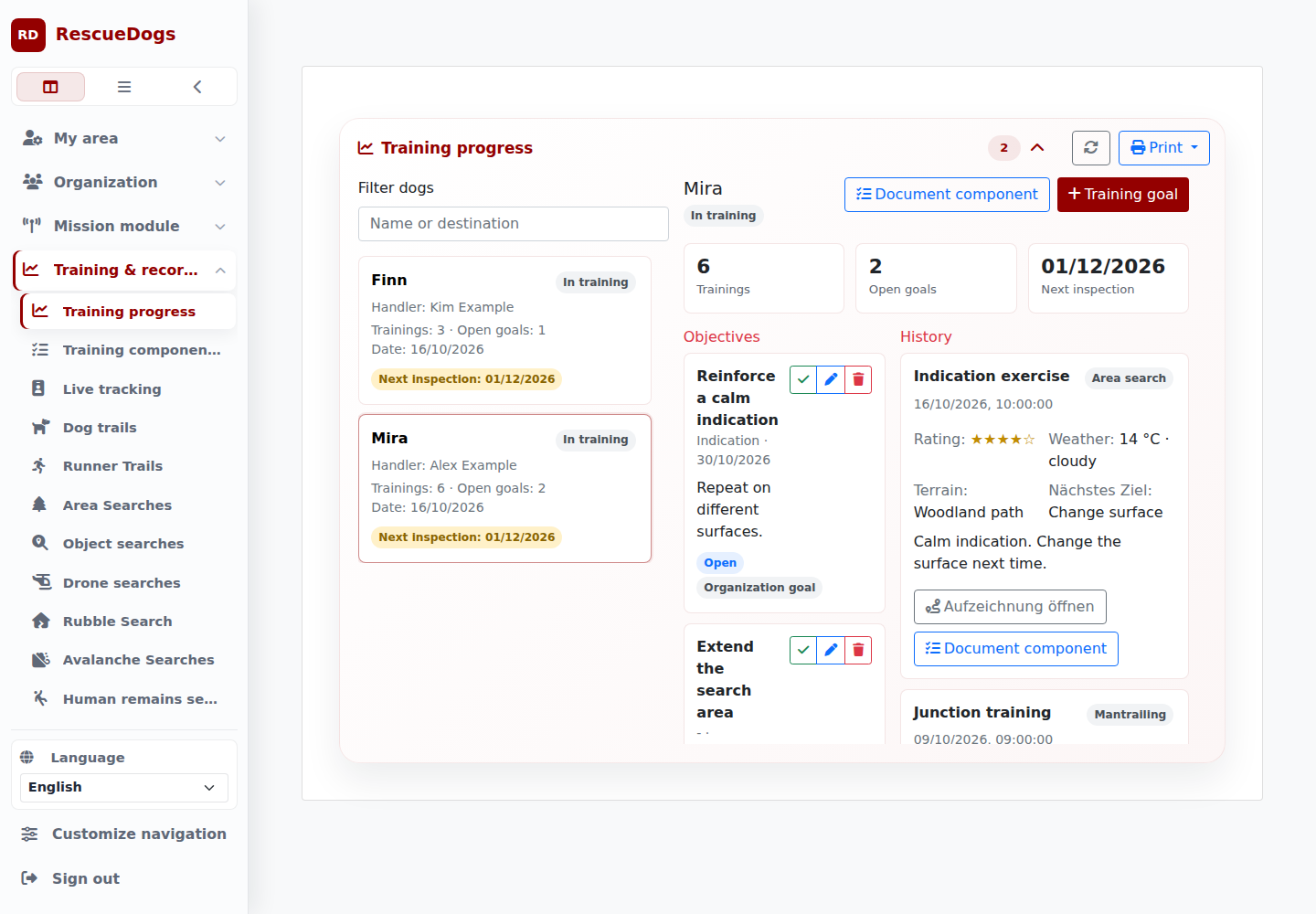
See your dog’s training progress
Select a dog to view recent sessions, open goals and upcoming exams. Before the next exercise, you can see what to work on together.
In this example, Mira is practising a calm indication on different surfaces.
Step 2 / 5 · Training
Document an exercise
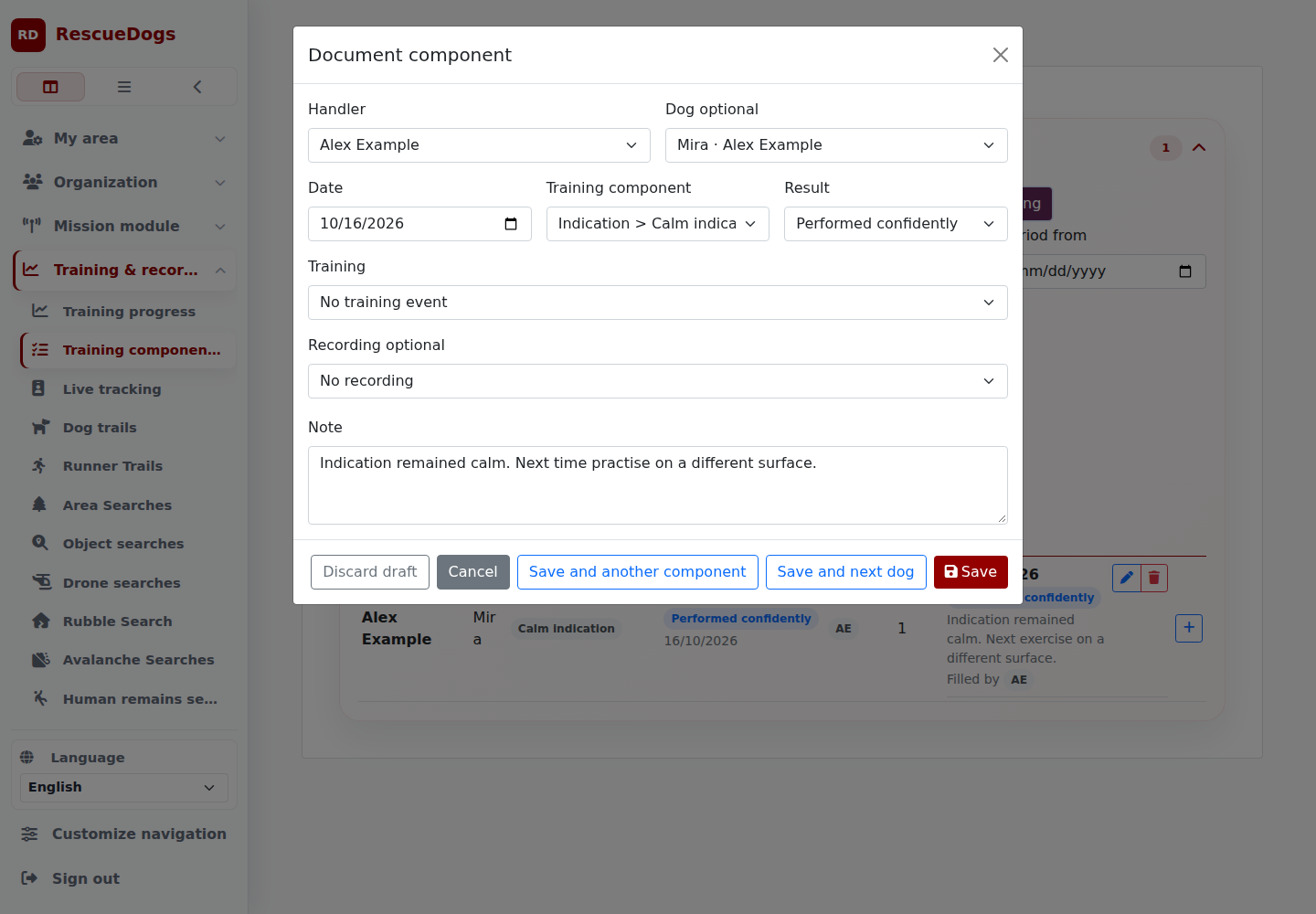
Choose the handler, dog and training component. Add the result and record what went well and what you want to practise next time.
The note stays with the entry: “Indication remained calm. Next time practise on a different surface.”
Step 3 / 5 · Duty log
Collect volunteer hours together
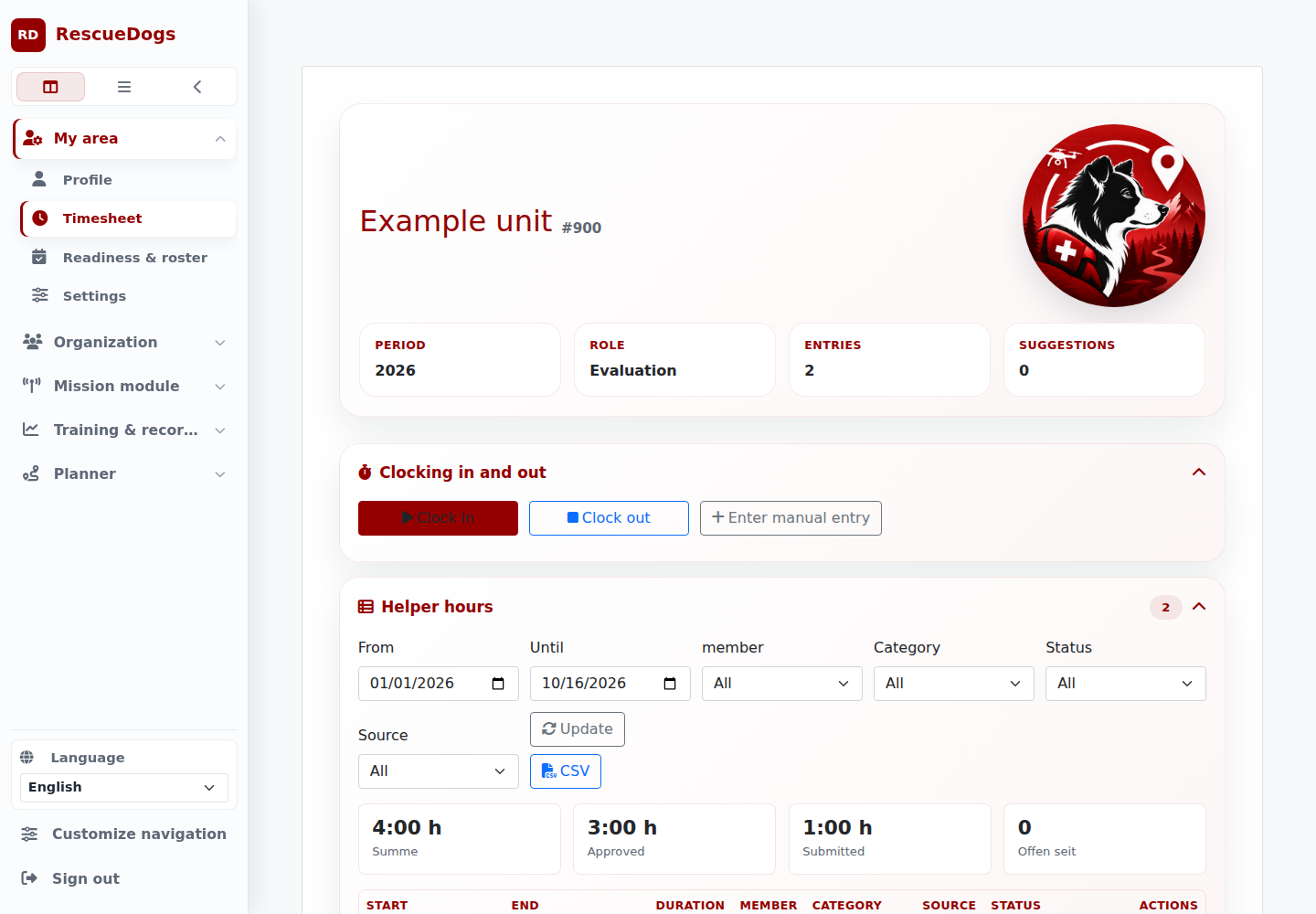
Record time spent on training, duties or equipment care. Authorized leads can check and approve entries. Your unit can review the hours for its annual summary.
The duty log contains time recording and entries for the selected period.
Step 4 / 5 · Equipment
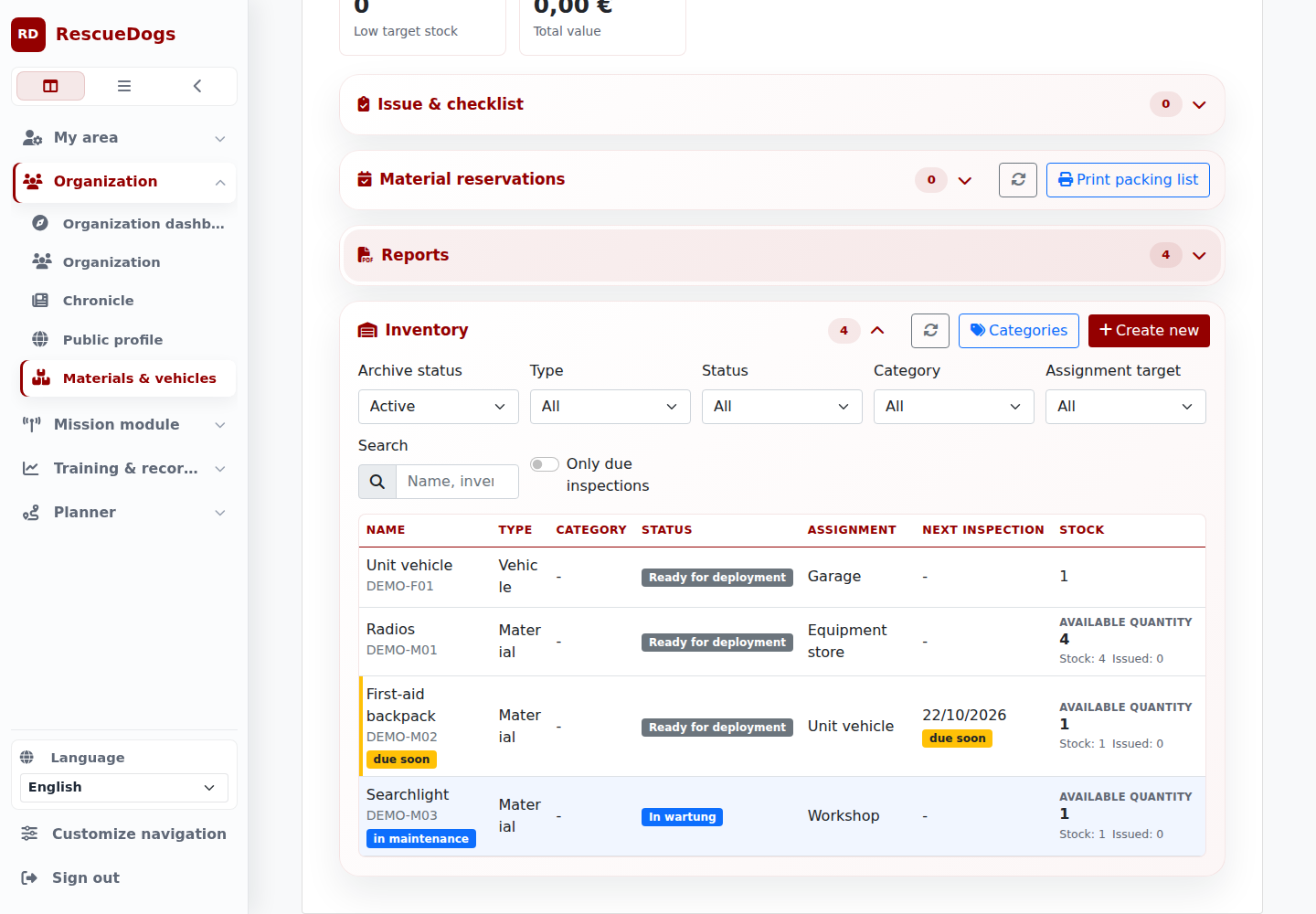
Keep equipment ready for the next exercise
Check where equipment is stored, its condition and upcoming inspections. Open an item to see further details and available actions.
Reservations, handover and returns help assign equipment for training and missions.
Step 5 / 5 · Debrief
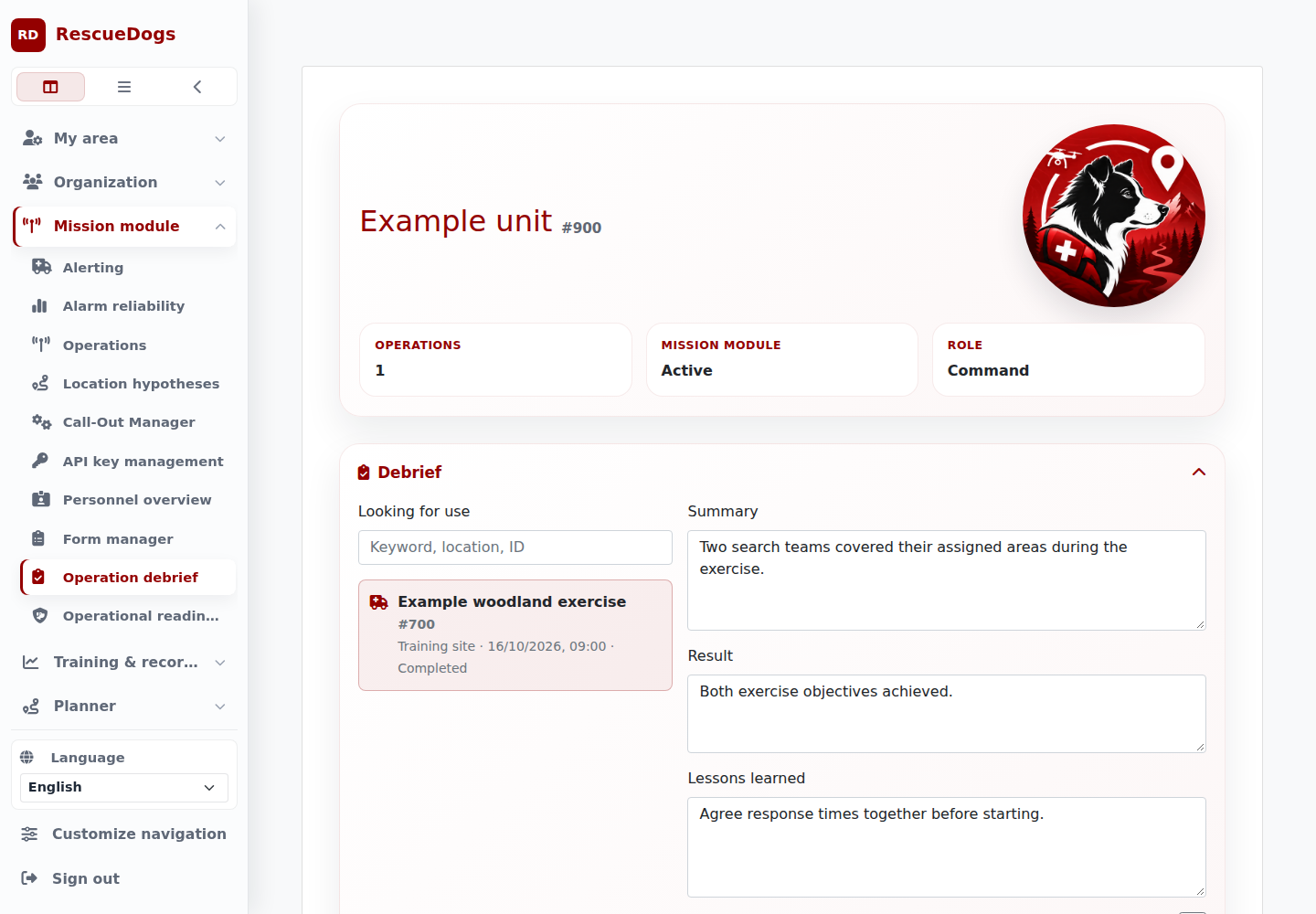
Review a search together
Keep the summary, outcome and lessons with the mission. Add open tasks and responsible people so everyone can follow the next steps.
In this example, the unit reviews a woodland search and agrees to set response times before future exercises.
Your next step
Start with a shared exercise.
Try a relevant workflow with your unit or ask for a personal demonstration.